


Subfile Enhancer
axSubfileEnhancer
Description
axSubfileEnhancer automatically adds simple stripes to the header and body of a subfile on a screen. The stripes are intended to enhance the appearance of the subfile. The subfile defaults to the first subfile on the screen, but this can be overridden to any other subfile on the screen, or moved elsewhere on the screen, using the start and end row properties.
The subfile enhancer is sized by using the row / column properties of the extension.
Useability
|
Context |
Supported |
|---|---|
|
Input screen fields |
No |
|
Output screen fields |
No |
|
Input subfile fields |
No |
|
Output subfile fields |
No |
|
Whole screen |
Yes |
Properties
|
Name |
Description and Comments |
JavaScript |
Shipped default |
|---|---|---|---|
|
alternateColors |
Indicates that rows should be highlighted with alternate colors (ignored if highlightRows is False). |
Yes. Must return a Boolean. |
False |
|
bodyFirstRow |
The first row of the subfile body. If 0, this means automatically determine the first row of the subfile body. |
Yes. Must be 1 - 24 |
0 |
|
bodyLastRow |
The last row of the subfile body. If 0, this means automatically determine the last row of the subfile body. |
Yes. Must be 1 - 24 |
0 |
|
columnFirst |
The first column of the subfile |
Yes |
1 |
|
columnLast |
The last column of the subfile |
Yes |
79 |
|
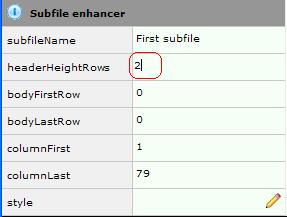
headerHeightRows |
The number of rows in the subfile header. |
Yes. Must be 1 - 24 |
1 |
|
highlightRows |
Indicates that a stripe be created for each row of the subfile rather than for the whole body. |
Yes. Must return a Boolean. |
False |
|
linesPerRow |
The number of screen lines that represent a row in the subfile. A value of 0 tells the eXtension to attempt to automatically determine the value. |
Yes. |
0 |
|
moveManually |
Indicates if the extension can be dragged manually to a new position. This will ignore the row/col properties. |
Yes |
False |
|
style |
The style applied to the stripes |
Yes. Must return a valid style object. |
None |
|
subfileName |
The subfile to have its appearance enhanced. "First" means detect the first subfile on the screen. It can be set to any of the subfiles on the screen. |
Yes. Must return "FIRST" or a subfile record format name. |
First |
|
useOldStyle |
When true, disables the use of jQuery styles. For JQueryUI theme only |
Yes. Must return a Boolean. |
False |
Notes, Comments and Warnings
This extension is intended for straightforward subfile modification. (For more complex scenarios, use two Simple Stripe extensions)
In Application, appStylesTheme property = JQueryUI
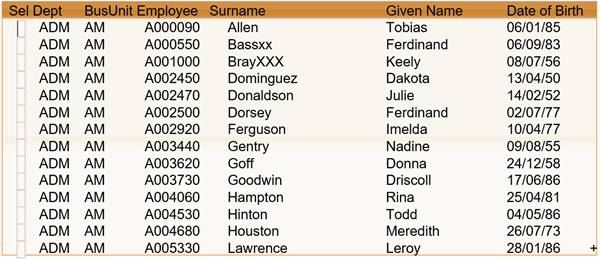
When JQueryUI is selected from Application->Styling->appStylesTheme property, the display of the extension will change according to the theme that was set in the Application’s jqueryTheme property.
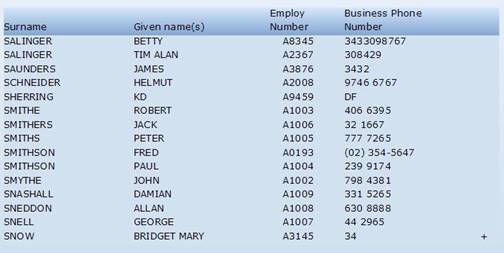
Basic theme display:
JqueryUI theme display:
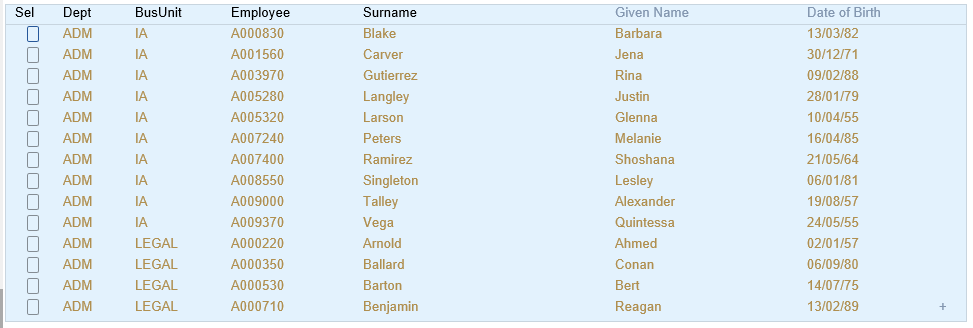
In Application, appStylesTheme property =Material Design
When Material Design is selected from Application->Styling->appStylesTheme property, the display of the extension will change according to the theme that was set in the Application’s mdTheme property.
Examples
In TS:
To use the subfile enhancer in TS, edit the screen's properties and click on the screen anywhere outside an element, and check the subfile enhancer checkbox:
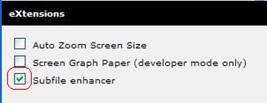
Then set the headerHeightRows property to the required value for your subfile
In TS2
To use the subfile enhancer in TS2, you must first name the screen you wish to customise. Then, in the eXtensions tab, click on the eXtension called screen and customise from the drop down. Then add eXtension and choose the subfile enhancer.

You can now start changing the default properties.
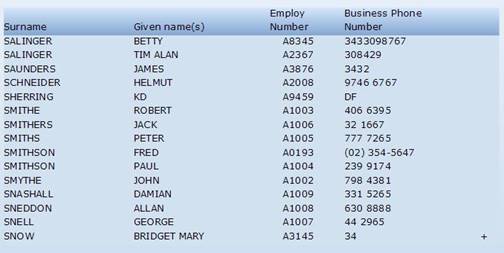
Using the default settings and changing the headerHeightRows to 2, the subfile's appearance can be changed to this:
See Also
Application Style Collection for Application themes
